Custom Website vs Wix: What UK Businesses Should Know in 2026
Should you use Wix or hire a web designer? Get an honest comparison with real costs, hidden factors, and a 5-question test to help you decide.

Photo by Picjumbo.com on Pexels
**Quick answer:** Use a DIY builder like Wix if you have more time than money, need a simple site fast, and don't mind some limitations. Hire a professional if your website needs to generate leads, handle e-commerce at scale, or represent a brand that can't afford to look 'template-y'. The real answer depends on your specific situation—which is why we created a 5-question test below.
When DIY Website Builders Work Well
Let's be honest: Wix, Squarespace, and other builders have gotten impressively good. They work brilliantly for certain situations:
**Personal portfolios** - Artists, photographers, and freelancers showing their work. Templates are designed for visual showcase. **Simple business presence** - If you just need a digital business card with your services, hours, and contact info. **Event or temporary sites** - Wedding websites, fundraisers, or short-term campaigns where the site has a defined lifespan. **Testing a business idea** - Before investing thousands, you can validate your concept with a quick site. **Tight budgets** - When professional design genuinely isn't affordable yet.
If your needs fit these categories, a DIY builder might be the right choice. You'll save money upfront and have full control over updates.
When You Should Hire a Professional
However, certain situations almost always require professional help:
**Your website IS your business** - E-commerce stores, SaaS products, or service businesses where the site generates revenue directly. **Custom functionality** - Booking systems, member portals, integrations with your existing tools, or anything beyond basic features. **SEO matters** - If you need to rank on Google, professional sites typically outperform builders in technical SEO. Learn why a professionally-built site gets more organic traffic. **Brand perception** - Clients in professional services (legal, financial, consulting) often need polished presentation that templates can't achieve. **Scale and speed** - Sites expecting significant traffic or needing to load quickly on all devices.
!Design team collaborating with laptops in a modern office — the professional web design agency approach *Photo by Mikael Blomkvist / Pexels*

The Hidden Costs of DIY (Most People Miss These)
The £15/month Wix plan sounds cheap. But the true cost often includes:
**Your time** - Plan 40-100+ hours for a decent site. At £50/hour, that's £2,000-5,000 in opportunity cost. **Premium features** - E-commerce, custom domain, no ads, analytics. Suddenly you're paying £30-50/month. **Apps and plugins** - Booking, email marketing, forms with advanced features. Each adds £5-30/month. **Template limitations** - When you outgrow the template, you're stuck. Migration is painful and expensive. **Ongoing learning** - Every update, every new feature—you're the one learning it.
**Real example:** A client came to us after spending 6 months and £2,400 (subscription + apps + wasted time) on a Wix site that couldn't handle their booking flow. Their professional rebuild cost less than what they'd have spent on two more years of Wix subscriptions.
The Hidden Costs of Professional Design (Let's Be Honest)
Professional websites aren't without their own hidden factors:
**Upfront investment** - You'll pay more initially, typically £2,000-15,000+ depending on complexity. **Communication overhead** - Revisions, feedback rounds, and project management take time. **Dependency** - For updates, you might need to contact your developer (though many modern sites use CMS). **Finding the right partner** - Bad agencies exist. Due diligence matters.
The key difference: Professional costs are more predictable and front-loaded. DIY costs accumulate over time and often surprise you.
Cost Comparison: Real Numbers
| Factor | DIY Builder (Year 1) | DIY Builder (Year 3) | Professional Website | |--------|---------------------|---------------------|---------------------| | Base cost | £180-500 | £540-1,500 | £3,000-10,000 | | Apps/plugins | £200-600 | £600-1,800 | Usually included | | Your time (hours) | 50-100 | 20-50/year | 10-20 total | | Time value @£50/hr | £2,500-5,000 | £1,000-2,500/yr | £500-1,000 | | **3-Year Total** | **£4,000-8,000+** | - | **£3,500-12,000** | *These are realistic estimates for UK small businesses. Actual costs vary based on requirements.*
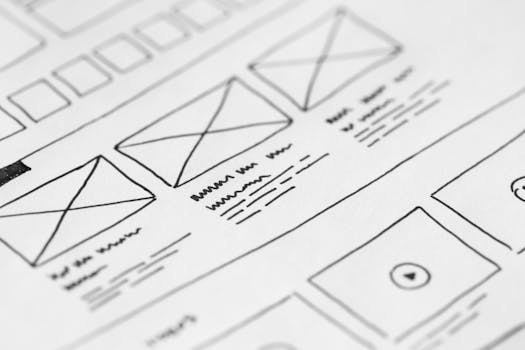
!Hand-drawn wireframe design on paper — planning a website layout before choosing between DIY and professional development *Photo by picjumbo.com / Pexels*
How to Decide: The 5-Question Test
Answer honestly: **1. Will this website directly generate revenue?** (Yes = lean professional) **2. Do you have custom functionality needs?** (Booking, integrations, member areas = professional) **3. Is your brand perception critical?** (Professional services, premium products = professional) **4. Do you have more time than money right now?** (Yes = DIY might work initially) **5. Are you comfortable being your own tech support?** (No = professional will save frustration) **Scoring:** - 0-1 'professional' answers: DIY builder is likely fine - 2-3 'professional' answers: Consider starting DIY with a plan to upgrade - 4-5 'professional' answers: Professional design is the smart investment
FAQs About Website Builders vs Professional Design
**Can I start with Wix and switch to professional later?** Yes, but it's not seamless. Your content can transfer, but design and functionality need rebuilding. Plan for this cost if you're using DIY as a stepping stone.
**Are professional websites harder to update?** Not anymore. Modern professional sites use content management systems (CMS) that are just as easy as Wix—often easier for complex content.
**What about Webflow or other 'hybrid' options?** Webflow sits between DIY and professional. It offers more design control but has a steeper learning curve. Great for designers, potentially overwhelming for business owners.
**How long does a professional website take?** Typically 4-8 weeks for a standard business site — but how long a custom build takes vs a template solution varies significantly by scope. Complex e-commerce or custom functionality takes longer. Rush projects are possible but cost more.
Still Not Sure? Here's What We Recommend
If you're genuinely unsure, start with a conversation. At Launchwork Digital, we're honest about when DIY makes sense. Sometimes we tell potential clients to try Wix first—because if their needs are simple, that's the right advice.
When they outgrow it (and many do), we're here to build something that scales — see our custom web development approach for how we engineer sites that outperform template builders on every Core Web Vital. For businesses ready to move beyond templates, our bespoke web development services deliver custom-coded sites with full code ownership and 95+ Lighthouse scores.
**Related reading:** - Custom Web Development Services — our engineering approach vs DIY builders - How AI Can Save Your Small Business Time & Money - Including automating website tasks - Our Pricing Philosophy - Transparent approach to project costs - Frequently Asked Questions - Common queries about working with us - How to Choose a Web Design Agency - When to hire an agency vs DIY - Building Accessible Websites - Accessibility compliance as a reason for professional development